Structured intakeBank, ERP, and open invoice files
Payments, invoices, and bank files
 Finance operations platform
Match payments, invoices, and bank files with less manual work
DueHub helps finance teams find likely matches across payments, invoices, and bank movements, separate exceptions, and leave a clear output for faster review and close.
For finance, collections, and shared services teams still stitching together ERP, bank, and spreadsheet work.
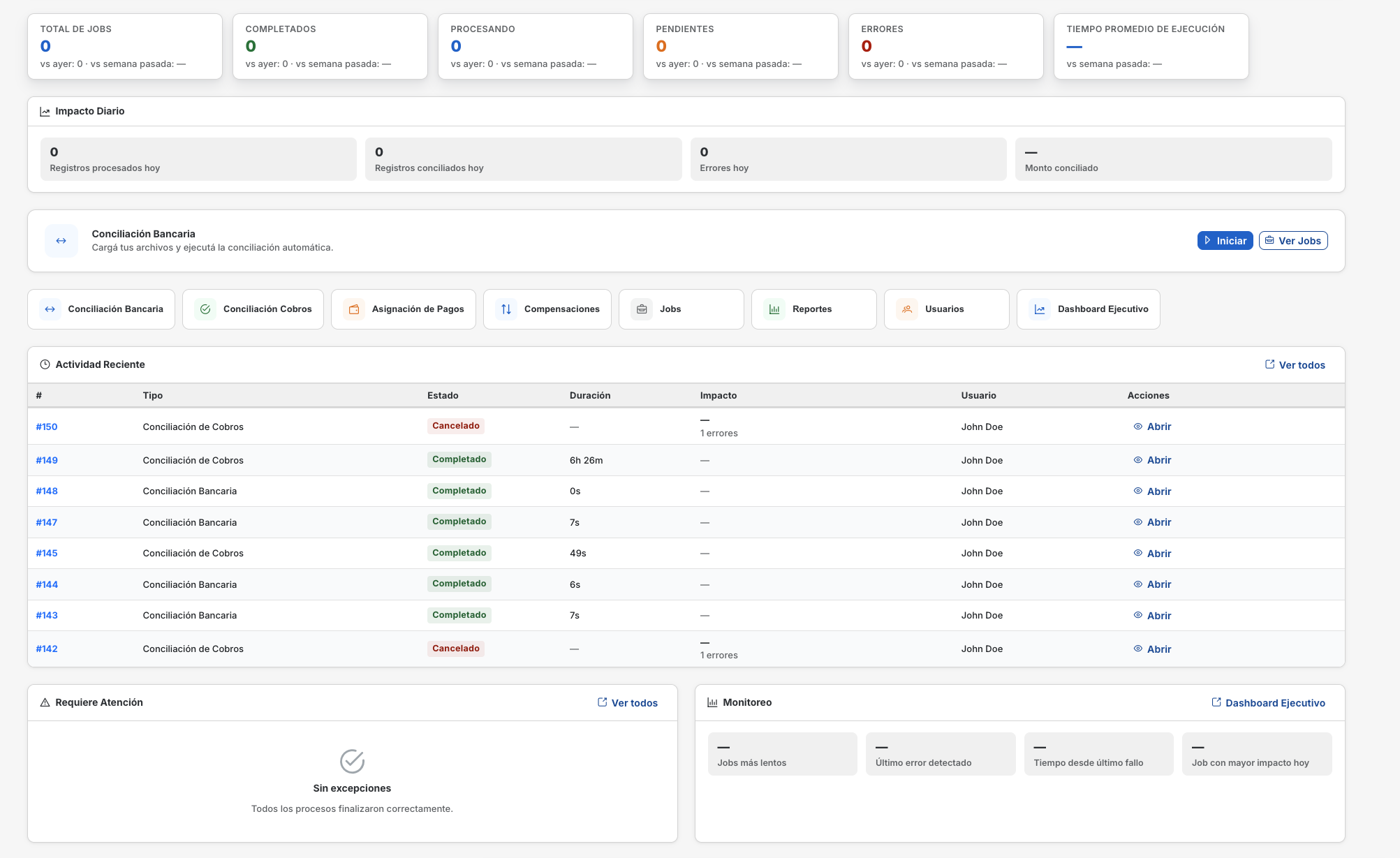
One workspace
File intake, configurable rules, and review steps in one controlled workflow
Problem
Matching payments, invoices, and bank files by hand slows the close
When the team reviews ERP exports, bank files, and open invoices in spreadsheets, manual effort and unresolved differences grow fast.
How the work usually happens today
In many companies someone downloads a bank file, exports accounts receivable from the ERP, opens the invoice list, and starts checking rows one by one. As volume rises, so do doubtful cases, rework, and the lack of clarity around what is already resolved.
- Teams spend too much time reviewing payments against invoices row by row.
- Clear cases and doubtful cases stay mixed together, so priority gets blurry.
- Context for each decision is scattered across spreadsheets, email, and local folders.
- Closing and exporting consistent results depends on too much manual work.
Disconnected files
Bank, ERP, and open invoice files live in different places and are rarely reviewed with the same logic.
Slow exception review
Without a clean split between matches and doubts, everything looks urgent and review takes longer.
Low practical visibility
It is hard to see what already closes cleanly, what is still pending, and what can be exported safely.
ERP + bank + invoices
work from the files the team already downloads today
Clear matches
separate obvious cases from doubtful ones automatically
Visible exceptions
leave only the items that need human review
Configurable rules
mappings, tolerances, and priorities stay visible
Clean output
results stay ready for review, export, and close
First workflow
Upload files, find matches, review only the exceptions
DueHub takes bank, ERP, and invoice files, finds likely matches, and leaves a clear review queue plus an exportable result.
Visible logicReferences, tolerances, and priorities stay configurable
Actionable outputMatches, exceptions, and a result ready to export
InputsOpen invoicesdocuments, references, and due dates Bank and PSP paymentsreceipts, settlements, and movements ERP and AR exportsaccounts receivable and balances to review
Rules engine
DueHub
Find clear matches first, then leave only the doubtful cases
The team configures mappings and tolerances once. DueHub compares files, groups obvious cases, and leaves the rest ready for review instead of forcing a full spreadsheet scan.
Payments vs invoicesBank vs ERP referencesAmount tolerancesReview queue
OutputsMatched paymentspayments linked to open invoices Exceptions to reviewonly the doubtful cases stay pending Review-ready exportclean output for close, follow-up, or posting Later expansiona stronger base for broader reconciliation later
Process control
01Draft
02In review
03Submitted
04Approved
05Exported
One environment for intake, review, approval, and export without falling back to full manual review.
Offer
A clear entry point now, expansion later
You do not need to buy a broad suite to see value. The best first step is usually one high-volume workflow built on ERP, bank, and invoice files.
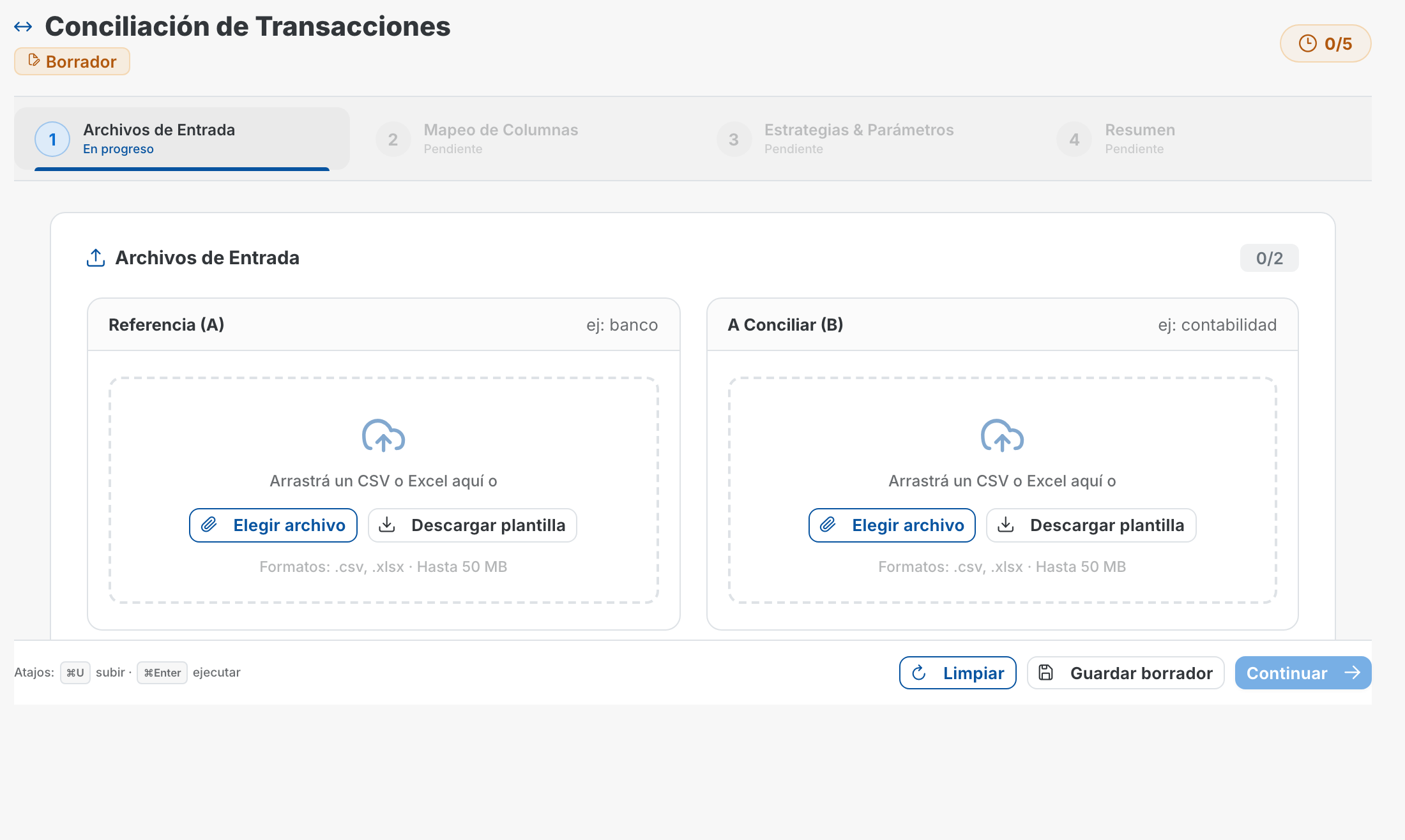
01Primary offer
Match payments, invoices, and bank movements in one repeatable flow
Load real files, identify likely matches, and leave the team with a focused review queue instead of a full spreadsheet scan.
Payments, invoices, and bank files in one workspaceConfigurable mappings, tolerances, and prioritiesException review with a clean exportable result
02Second step
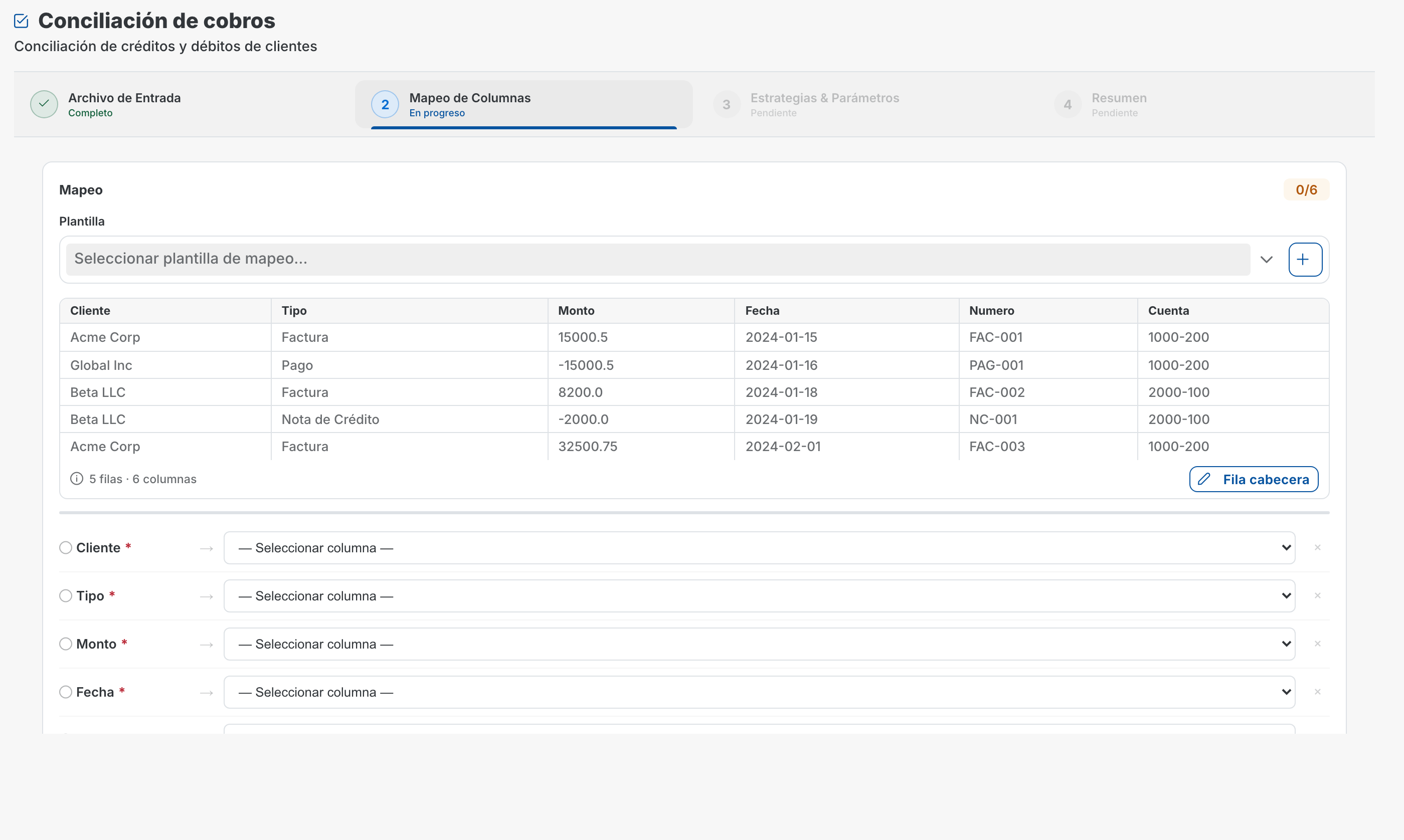
Broaden the base case into reconciliation and difference review
Once the first workflow is trusted, the team can expand into broader review, more accounts, and related reconciliation work without rebuilding the process.
Better visibility into pending differencesA cleaner review queue for the teamThe same control model for new files and accounts
03Expansion
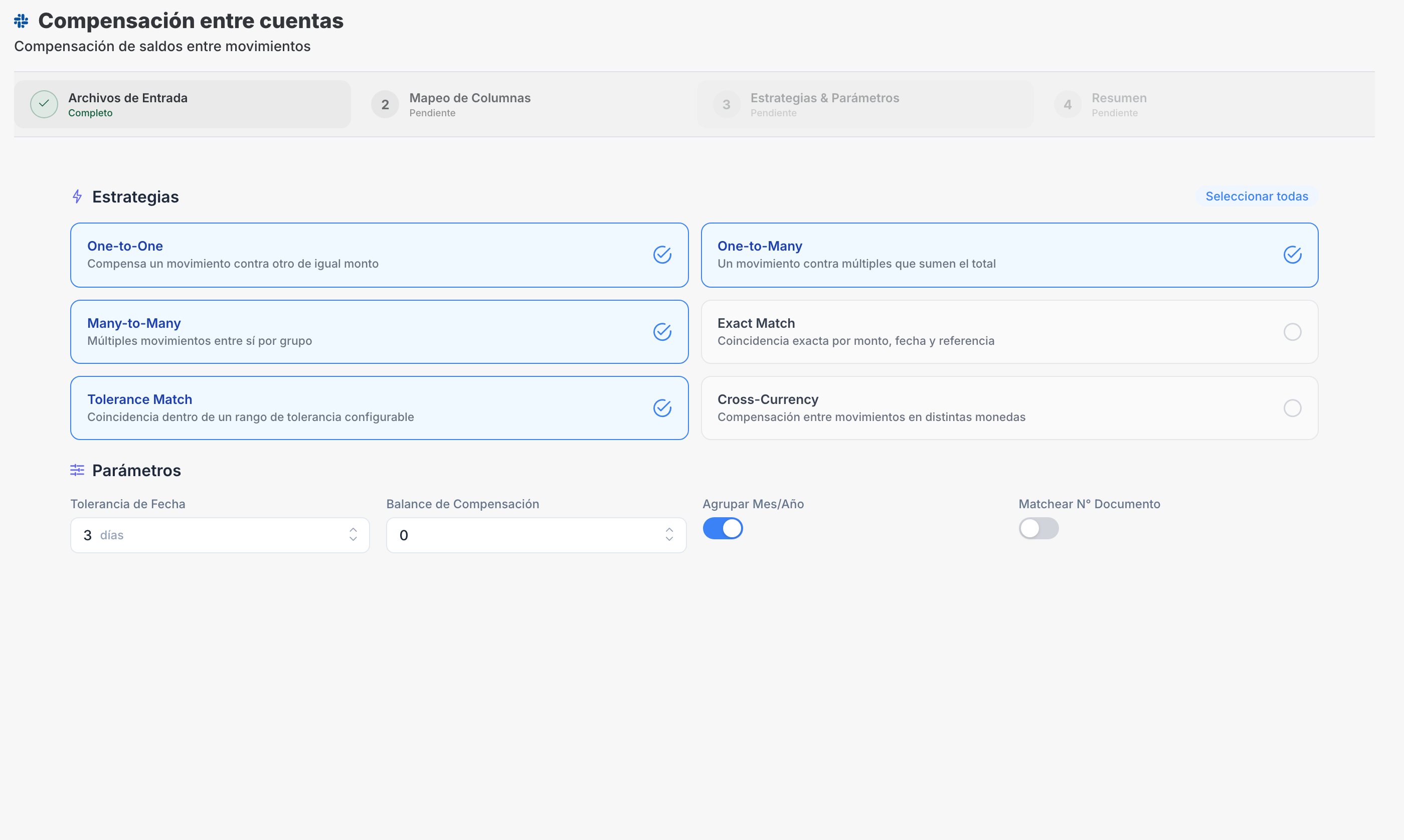
Add other workflows after the main case is proven
Netting or other finance flows can come later, once the buyer already understands the value of the first workflow and the team has evidence.
Progressive scale instead of a big upfront rolloutThe same rules, review, and traceability modelA stronger base for more complex processes later
Compatibility
Compatible with the inputs finance already uses
Map the columns once and reuse the same workflow across new structured files.
ERP systems
Import AR, invoice, general ledger, or settlement exports from core finance systems.
- SAP
- Oracle
- NetSuite
- Microsoft Dynamics
- custom CSV/XLSX
Banks and treasury data
Use bank statements, cash files, and settlement reports for reconciliation and cash allocation.
- bank statements
- cash files
- settlement reports
- treasury exports
Payment processors
Bring in PSP and acquirer detail when the workflow depends on processor-level data.
- Stripe exports
- Adyen exports
- Mercado Pago exports
- gateway files
- PSP reports
Operational control
Rules, review, and approvals in the same workflow
Automate without losing context or control over how each result is produced.
Configurable rules
Teams define mappings, tolerances, priorities, and decision criteria instead of relying on a black box.
Reviewable results
Matched items, exceptions, outputs, and job status remain visible before work moves downstream.
Role-based approvals
Permissions and approval steps help separate review, submission, and approval responsibilities.
FAQ
Frequently asked questions
How should an implementation start?
Usually with structured sample files, field mapping, and tolerance tuning for one workflow. Once the team validates the outputs, the rollout expands from there.
Can it work with our ERP and bank exports?
Yes. DueHub works on structured files and uploaded reports from ERP systems, banks, treasury teams, and payment processors. Teams map the fields used by the workflow.
Is this only transaction matching software?
No. Most teams start there, then expand into broader reconciliation, cash application, or adjacent finance workflows once the base case is proven.
Does the decision logic work like a black box?
No. DueHub lets teams configure rules, tolerances, priorities, and workflow criteria so finance users can review how each result was produced.
Next step
Try DueHub with one month of real files
We review whether your biggest pain today is around payments, invoices, and bank files, then show the best first workflow to start with.
- We review your current workflow
- We analyze your transaction volume
- We define the best starting use case
30-minute call. No technical setup required.
Review the product workflowSee how files, exceptions, approvals, and outputs move inside DueHub.